 Spin & Paint
iPhone & iPad · No ads, ever
A 3D coloring app you can finish with no signal at all
Ten quiet minutes, in your hands. Pick one of 250+ 3D artifacts, spin it with your finger, and paint it from every angle — no lines to stay inside, no way to do it wrong. Download it once and it colors offline for good.
Free to download · Free model every day · No account needed
Download
Free to start. Nothing to sign up for.
There is no account, no email, and no wall between you and the first model. Twelve artifacts are free, plus a new Model of the Day for everyone, every day. If you want the whole museum, there is a subscription — and if you don't, the app keeps working.
iPhone and iPad. Works offline after the first download.
No ads, not even rewarded ones
There is no advertising SDK in the app. Nothing to sit through before a color.
Nothing held hostage in the cloud
What you make is written to your device and stays there. Your stars and progress sync through iCloud — no sign-in.
No streaks to break
Reminders end by themselves. There is no score, no timer, and nothing to catch up on.
Screenshots
What it actually looks like
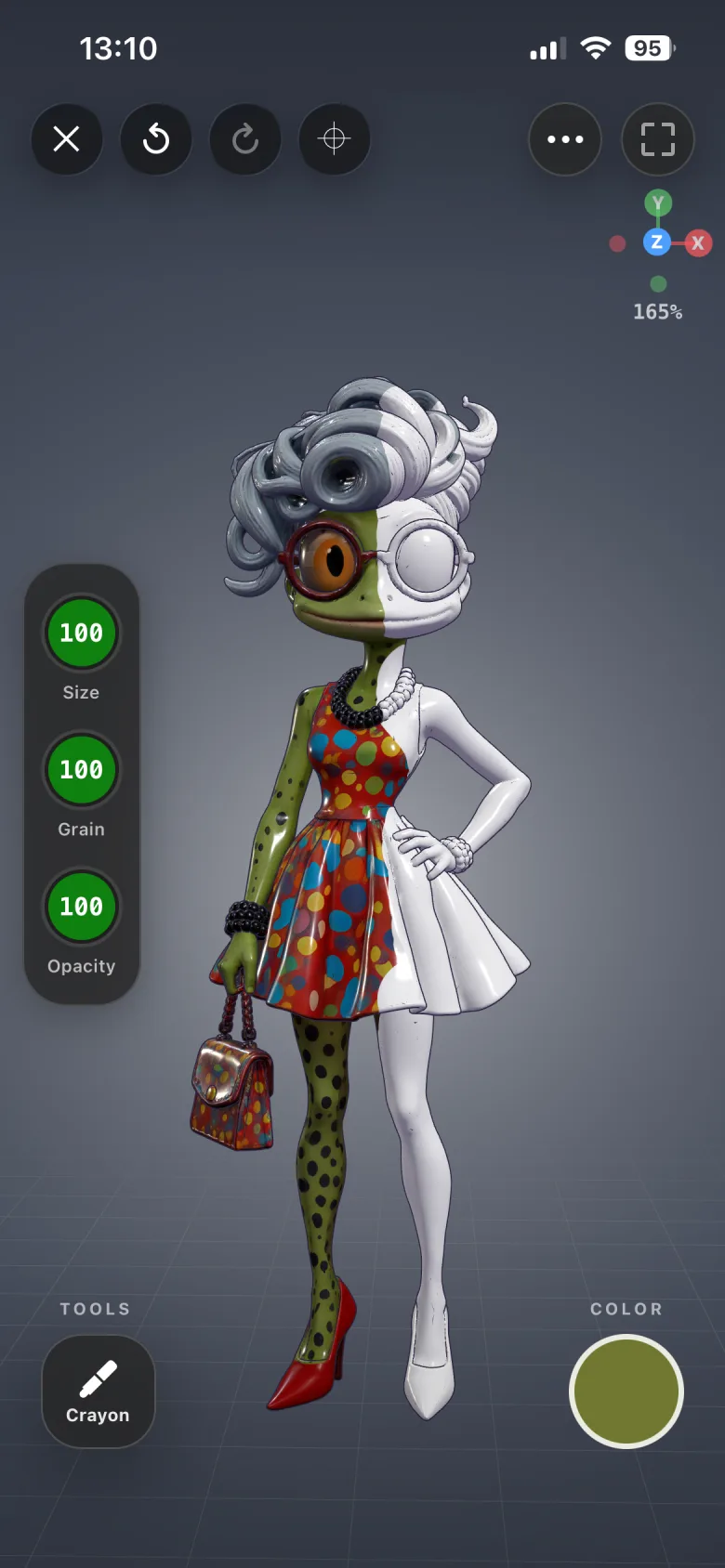
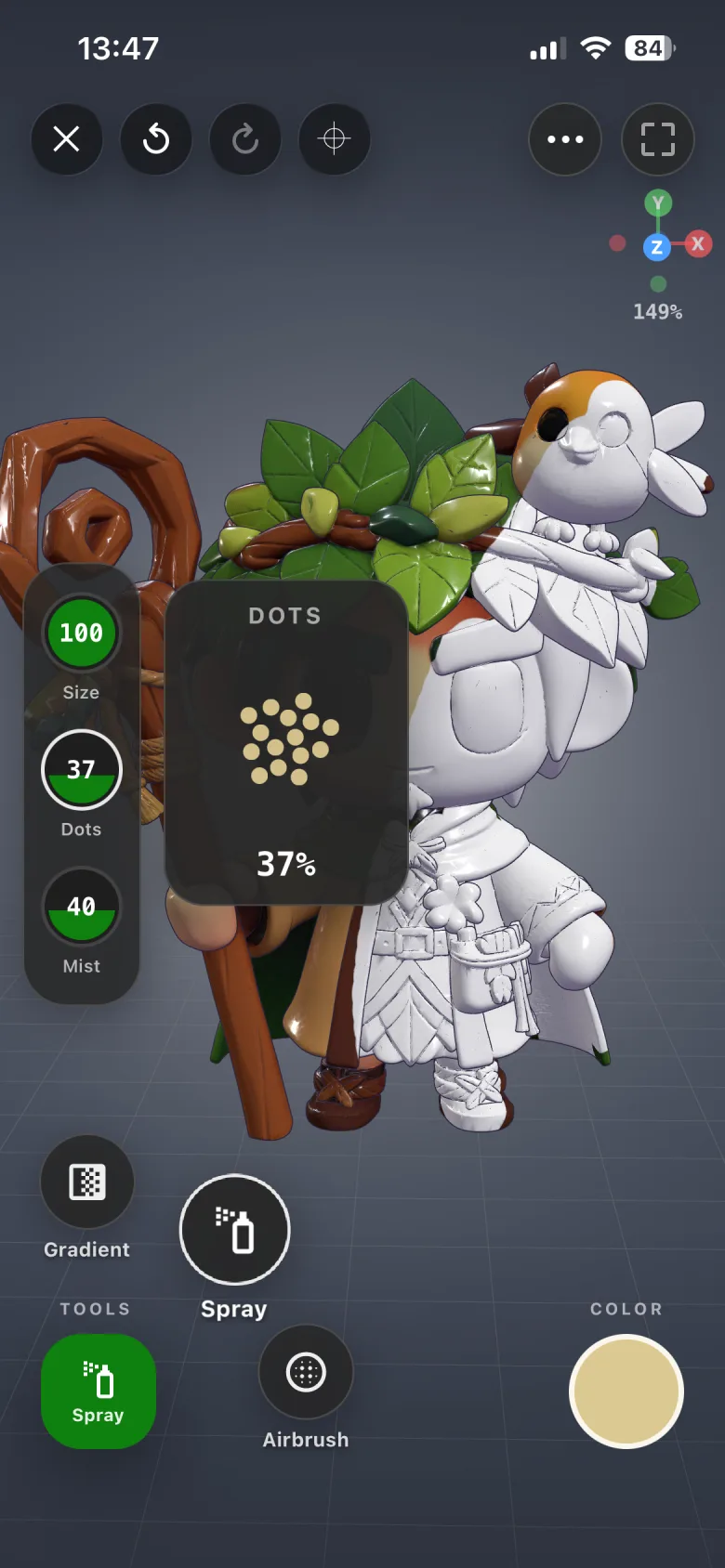
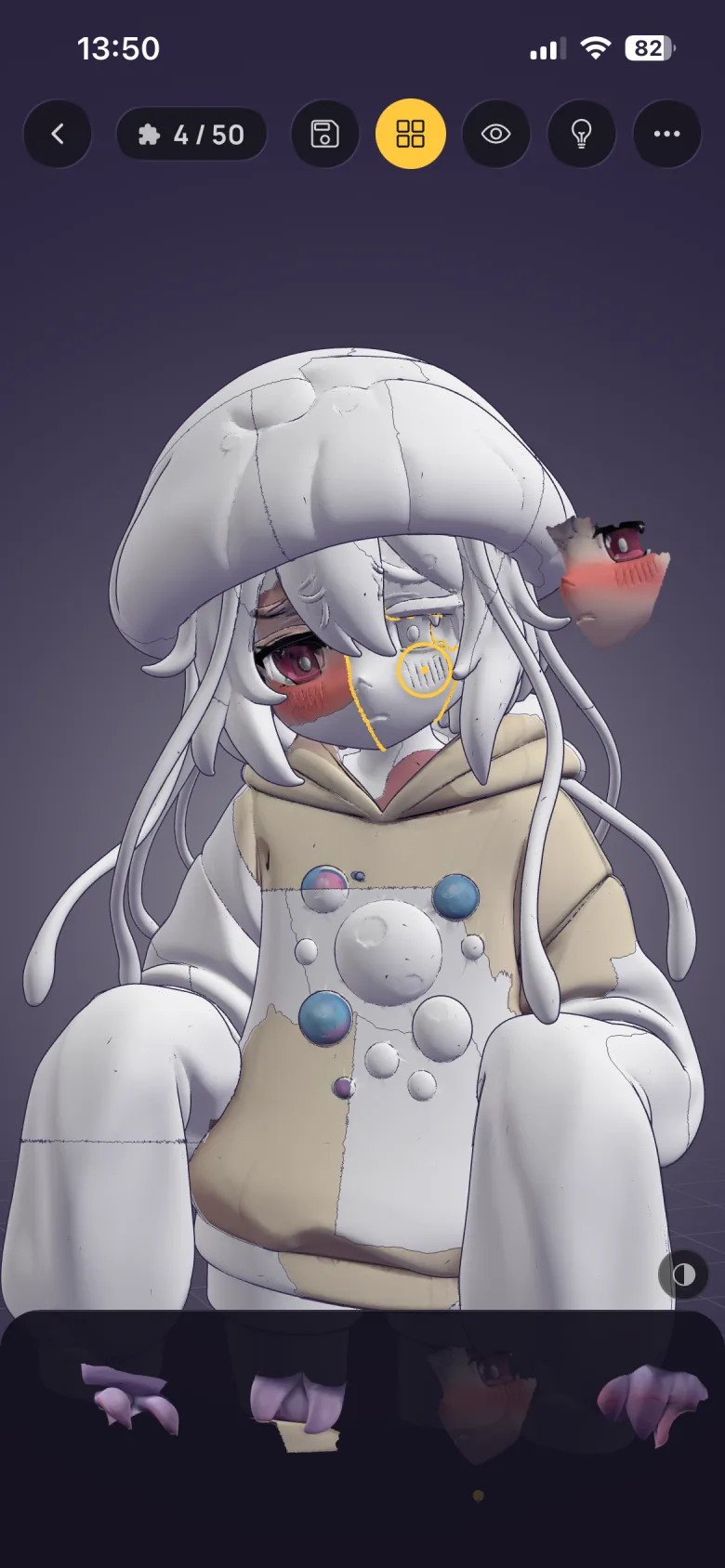
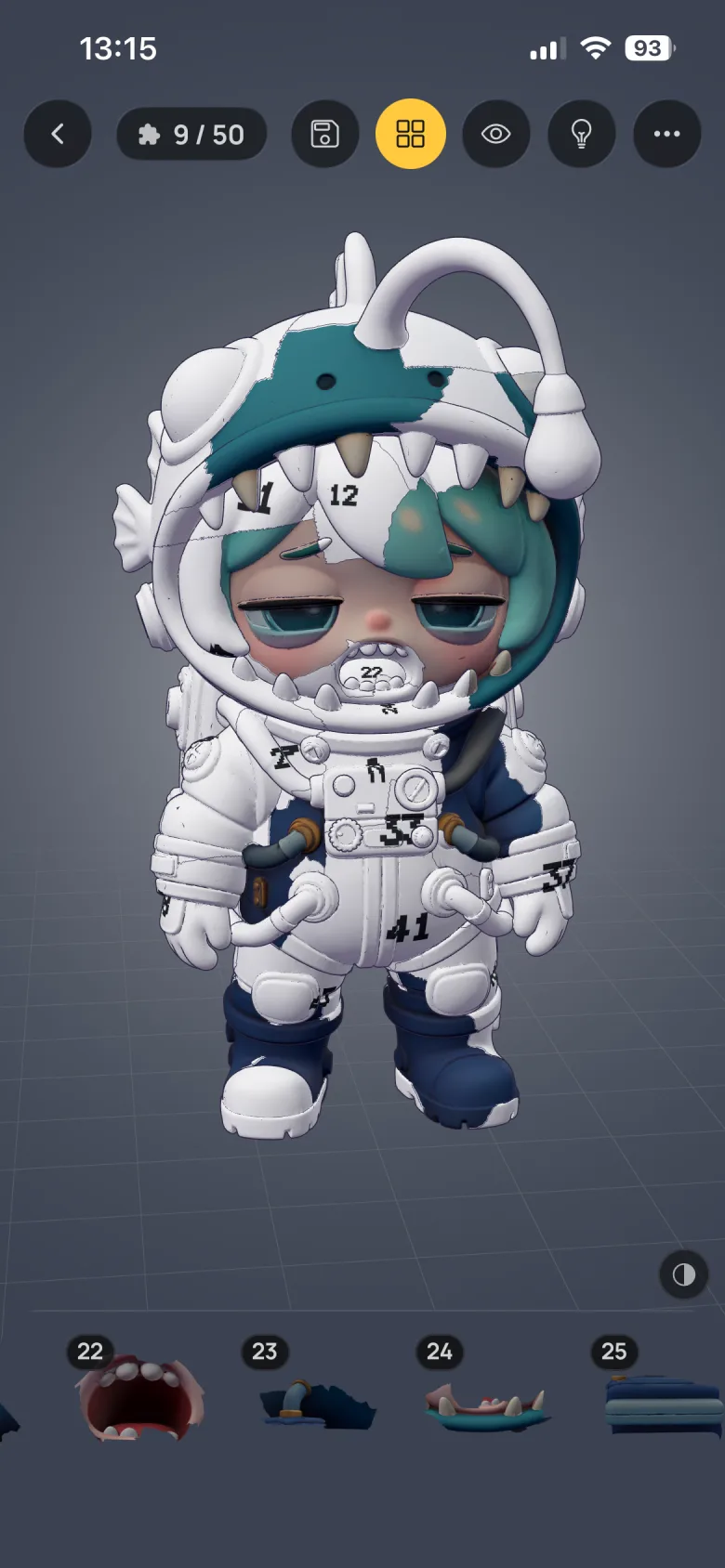
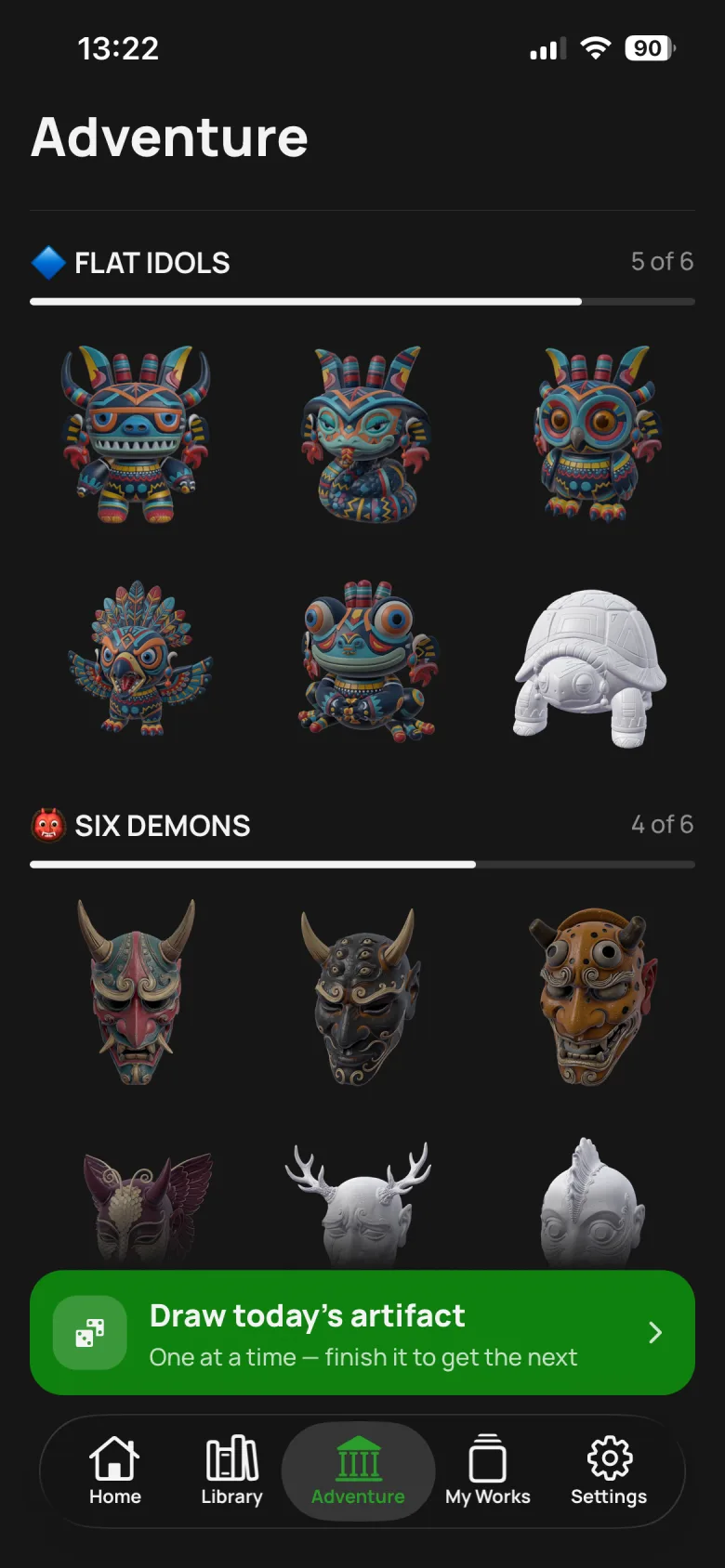
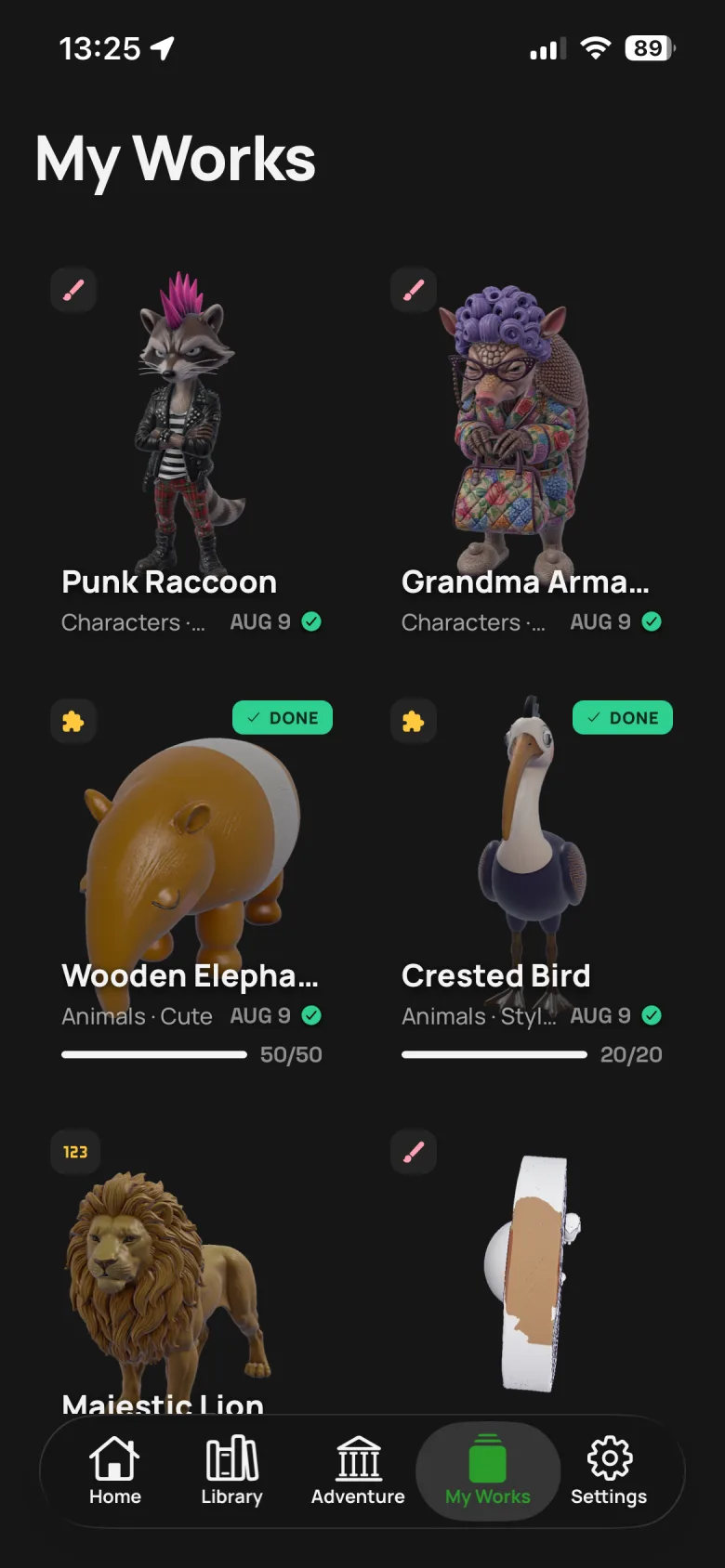
Real screens from the app, not mockups. Scroll sideways.
How it works
Three taps to the first color
No tutorial to sit through. The app is designed so the first stroke happens inside a minute of opening it.
Pick an artifact
Browse 250+ models by category, style or difficulty, or let Adventure mode deal you one. Tap download — the button tells you up front that it will then work offline.
Choose how to work on it
Every model does all three: free-paint it in 3D, shatter it into a jigsaw puzzle, or follow numbered slots. Same artifact, three completely different evenings.
Spin, paint, and stop whenever
One finger paints, two fingers orbit and zoom. It saves itself as you go, so you can close the app mid-stroke and pick the brush back up tomorrow.
The three modes, side by side
| Mode | What you do | Good for | Length |
|---|---|---|---|
| Color in 3D | Free-paint the whole surface with twelve tools. Spin it, zoom in, color the back of its head. | Making something that is yours. No right answer. | 10 minutes to open-ended |
| Puzzle | The model shatters along its own seams. Rebuild it and its colors come back. | Wanting a problem, not a blank page. | 20 pieces to 500 |
| By numbers | The same puzzle, with every empty slot numbered. Match and place. | Pure flow. Nothing to work out. | As long as you like |
A real painting studio, not a fill bucket
Twelve tools — brush, pencil, marker, crayon, airbrush, spray, gradient, smudge, fill, eraser, colour picker and a zone selector. Size, opacity, hardness, grain and flow on each. Undo and redo up to 50 steps, or two-finger tap to undo and three fingers to redo.
Built for the Pencil, and for the couch
On iPad, strokes carry Apple Pencil pressure and tilt, your palm is told apart from the nib, and a hover cursor shows the brush before you touch down. Left- and right-handed layouts. Four quality tiers, from old phones to new ones.
Guides
Answers, before you install anything
Twelve guides on the things people actually ask before downloading a coloring app — what works without Wi-Fi, whether coloring does anything for anxiety, how a 3D coloring book differs from paper, and what a subscription does and doesn't buy.
Coloring apps that work without Wi-Fi
Why most "offline" apps aren't, what to check before a flight, and how to load up a phone for a week with no signal.
Read the guide → CalmDoes coloring actually reduce anxiety?
What the published studies found, why structure seems to matter more than creativity, and a ten-minute routine.
Read the guide → 3D coloringWhat is a 3D coloring book?
How painting a sculpture differs from filling an outline, and why there are no lines to stay inside.
Read the guide → By numbersColor by number, in three dimensions
How numbered 3D puzzles work, how they differ from flat paint-by-number, and who they suit.
Read the guide → Puzzles3D jigsaw puzzles on iPhone & iPad
How a model shatters along its own seams, picking a piece count, and tactics for a 500-piece evening.
Read the guide → iPadColoring with Apple Pencil on iPad
Pressure, tilt, palm rejection and the hover cursor — what each one changes about how a stroke lands.
Read the guide → No adsColoring apps without ads or pop-ups
Why ad-funded calm is a contradiction, how to spot the pattern in a listing, and what to look for instead.
Read the guide → UnwindRelaxing games with no timer and no score
What separates a genuinely calm game from one that only looks calm on the store page.
Read the guide → How-toHow to paint a 3D model on your phone
A beginner's walkthrough: orbiting, blocking in base colours, zone selection, and the mistakes worth skipping.
Read the guide → Wind downTen minutes before bed that isn't your feed
Why a phone habit is hard to drop and easy to swap, and what a replacement has to do to actually stick.
Read the guide → ExportSaving and sharing your 3D artwork
Autosave, exporting to Photos, and sharing a spinning video that shows every side of what you made.
Read the guide → PricingIs Spin & Paint free?
Exactly what you get without paying, what a subscription adds, and what happens if you cancel.
Read the guide →FAQ
Questions people ask first
Does Spin & Paint work offline?
Yes. Download a model once and it colors offline from then on — on a plane, on the metro, in a basement with no bars. Your gallery, saved colorings and puzzles in progress all open in airplane mode. The one exception: a puzzle needs a single connected moment the first time you open it, to fetch the artifact's original colors. After that it plays anywhere.
Is Spin & Paint free?
It is free to download and free to use. Twelve artifacts across ten halls are free, and a new Model of the Day is free for everyone, every day. An optional subscription opens the whole museum — every artifact, at maximum detail, in all three modes.
What is a 3D coloring book?
A 3D coloring book gives you a sculpture instead of a flat outline. You spin the model with your finger to reach every side, and paint directly onto its surface — the back of its head, the inside of a wing, the sole of a shoe. There are no lines to stay inside, because there are no lines.
Does it work with Apple Pencil?
Yes, properly. Strokes carry Apple Pencil pressure and tilt, a hover cursor shows your brush footprint before you touch down, your resting palm is told apart from the pencil, and the system "Only Draw with Apple Pencil" setting is respected.
Are there ads?
No. There is no advertising SDK in the app at all — no rewarded video before a color, no interstitial between puzzle pieces, nothing to wait out. With signal or without.
Can you color by number?
Yes. By numbers is one of the three modes every model supports. The model breaks into pieces along its own seams and every empty slot is numbered, so there is nothing to work out — just match the number and place the piece.
Does coloring actually reduce anxiety?
Published studies on structured coloring — mandalas in particular — have found that short sessions reduce self-reported anxiety more than free-form drawing does. The effect appears to come from structure: a defined task occupies attention without demanding decisions. It is a wind-down, not a treatment.
Does it work on iPad?
Yes. iPad runs full-screen in landscape with the same twelve tools and full Apple Pencil support. Your stars, settings and puzzle progress follow you between devices through iCloud, with no account to create. Finished paintings stay on the device that made them.
How do I save or share what I've painted?
Every coloring and every puzzle saves itself as you work, so you can close the app mid-stroke. When you're finished you can save the piece to Photos, or share a spinning video of it that shows all sides.
How many models are there?
Over 250, arranged across 42 halls — dragons, demons, idols, animals, robots, food, spaceships and spirits, sorted by category, style and difficulty. New ones arrive regularly, and Adventure mode deals you one a day.
Ten quiet minutes, in your hands
No score. No timer. No streak to break. Just a model, a color, and as long as you feel like taking.
Free to download · iPhone & iPad · Works offline